Channel promotion · 6 min read
How to Make a YouTube Channel QR Code That Matches Your Brand
Make a YouTube channel QR code for merch, posters and event signs. Learn which channel link to use, how it compares to YouTube's built-in code and how to test it.
By MosaicQR team · Published · Updated
People who meet you offline are some of your best future viewers. They liked your talk, your booth or your merch enough to stop. A QR code turns that moment into a channel visit before they forget your name.
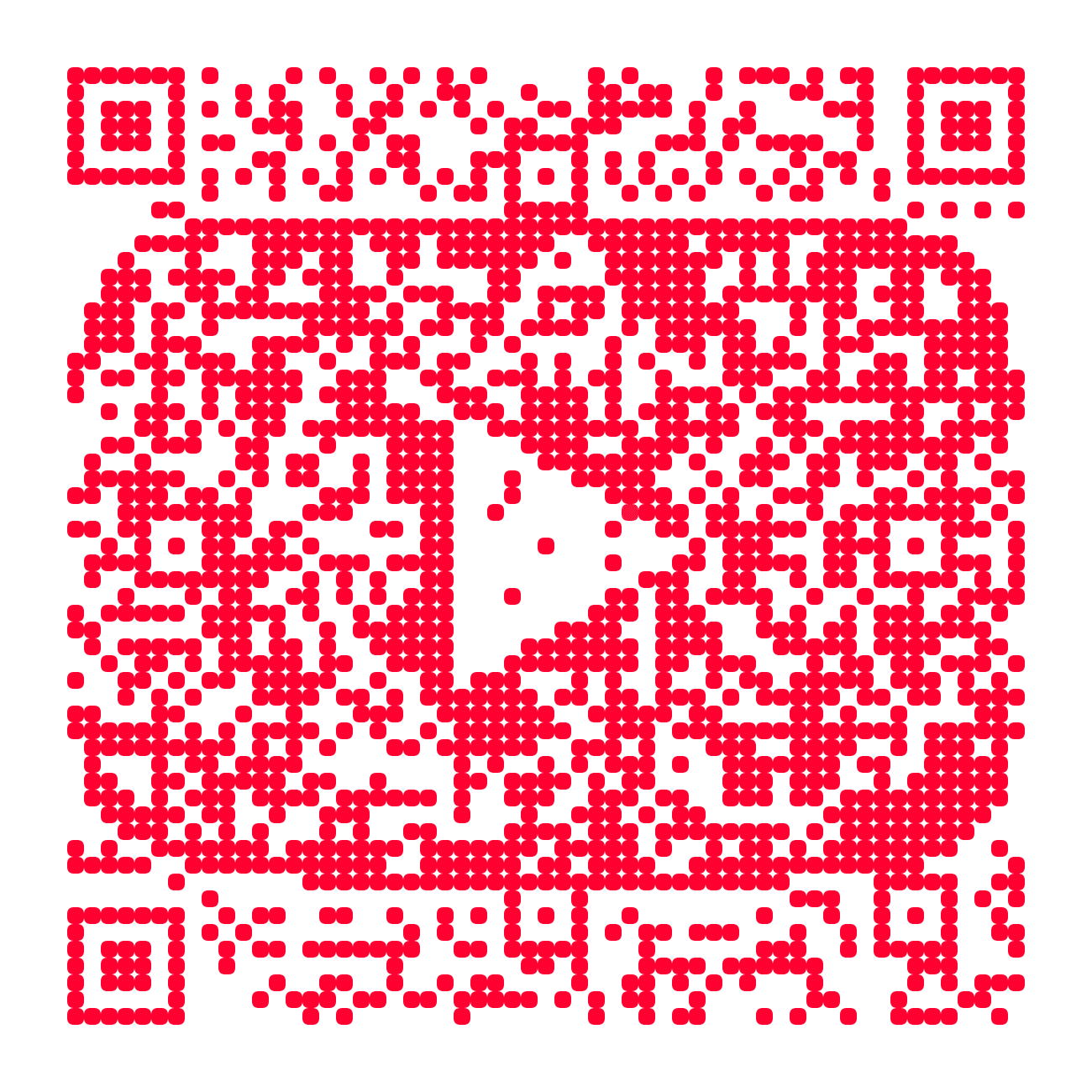
A branded YouTube channel QR code adds a familiar YouTube cue, so people know the scan opens a channel and not a random website. Pair it with your channel name and a short prompt, and it works on shirts, posters, stickers and event signs.
YouTube channel example
Veritasium
A channel page destination for merch, a poster or a conference slide. Print the channel name next to the code with a prompt like “Watch the full experiments on YouTube.”
Open the channel on YouTubeTry this channel in MosaicQR →
This direct-link example was rendered with MosaicQR’s image engine. YouTube and Veritasium own their respective names and marks. This example is not sponsored or endorsed by them.
Link to your channel, not one video
A printed code lasts longer than any single upload. If it points at one video, people land on something that may be old news by the time they scan. Your channel page always shows your latest work, so it is the safer choice for anything you print in bulk.
The cleanest link uses your handle. Open your channel and copy the address. It looks like www.youtube.com/@ followed by your handle. Older links that use /channel/ with a long ID still work too.
If you want viewers to see a subscribe prompt when they arrive, add ?sub_confirmation=1 to the end of the link. Test it on a phone first, because YouTube controls how and when that prompt appears.
YouTube’s built-in code vs a branded one
The YouTube app can show a QR code for your channel from the share menu. It is free and fine for quick sharing in person. It uses YouTube’s own design, so you cannot change its look to match your merch or poster.
A MosaicQR code uses the same kind of link but turns it into artwork. That helps when the code is part of a design people will see for months, like a shirt, a banner or the back of a sticker.
Make your YouTube channel QR code in three steps
- Copy the channel link. Open it once in a private browser window and confirm it shows your public channel, not YouTube Studio.
- Paste it into MosaicQR. The form below recognizes a YouTube channel page and carries the full link into the generator.
- Activate, test and download. Complete the current account and activation steps, then scan the exported artwork before you send it to your printer.
Give people a reason to scan
“Subscribe” alone does not tell someone what they get. Name the channel and the payoff. “Watch the full build on YouTube” or “New science videos every month at Veritasium” sets a clear expectation.
If the code sits next to something specific, like a project on your table or a slide in your talk, say that the full story is on the channel. Keep the promise true for as long as the print is out there.
Where a YouTube QR code works
- Merch: A code on a shirt tag, hoodie sleeve or sticker helps a stranger find the channel behind the design.
- Talks and panels: Put it on your last slide and leave it up during questions so people have time to scan.
- Booths and meetups: A larger code on a table sign lets people save the channel without stopping to type a name.
- Business cards and flyers: Keep your channel name printed next to the code so the card still works for people who do not scan.
- Product packaging: If you sell something you review or build on camera, a code on the box can point buyers to setup or how-to videos on your channel.
In a video description, social post or newsletter, use a normal tappable link. A QR code helps most when the viewer is looking at something physical.
Keep your YouTube branding honest
The YouTube cue in the code tells people where they will land. It does not mean YouTube made your merch or endorses your channel, so do not word the prompt as if it does. Your channel name and design should carry the rest of the branding.
Test the scan before you print
On a phone with the YouTube app installed, a channel link usually opens in the app. Without it, people see the YouTube website in their browser. Those screens are controlled by YouTube, so test both paths.
- Scan with current iPhone and Android camera apps.
- Try one phone with the YouTube app installed and one without it.
- Confirm your channel name and banner on the page that opens.
- Scan the final export at its printed size on the real material.
- Test a slide or sign from the distance your audience will be.
See the MosaicQR printing guide for sizing and export guidance. Print your channel name near the code for anyone who cannot scan in time.
The current MosaicQR generator creates dynamic codes. Follow the account and activation details it displays, and check any destination update with a fresh scan before you reuse older printed material.
Make a branded QR code for your YouTube channel
Paste your public YouTube channel link. We’ll recognize the channel and carry the destination into the MosaicQR generator.